![bridge-icon-1.png]](https://portal.bridge.insure/hs-fs/hubfs/bridge-icon-1.png?width=40&height=40&name=bridge-icon-1.png)
Note: that this process will reboot your router - which will temporarily take your internet connection and phone service offline.
We recommend doing this in an off-peak period or outside of business hours.
Disabling SIP ALG for an ASUS Router
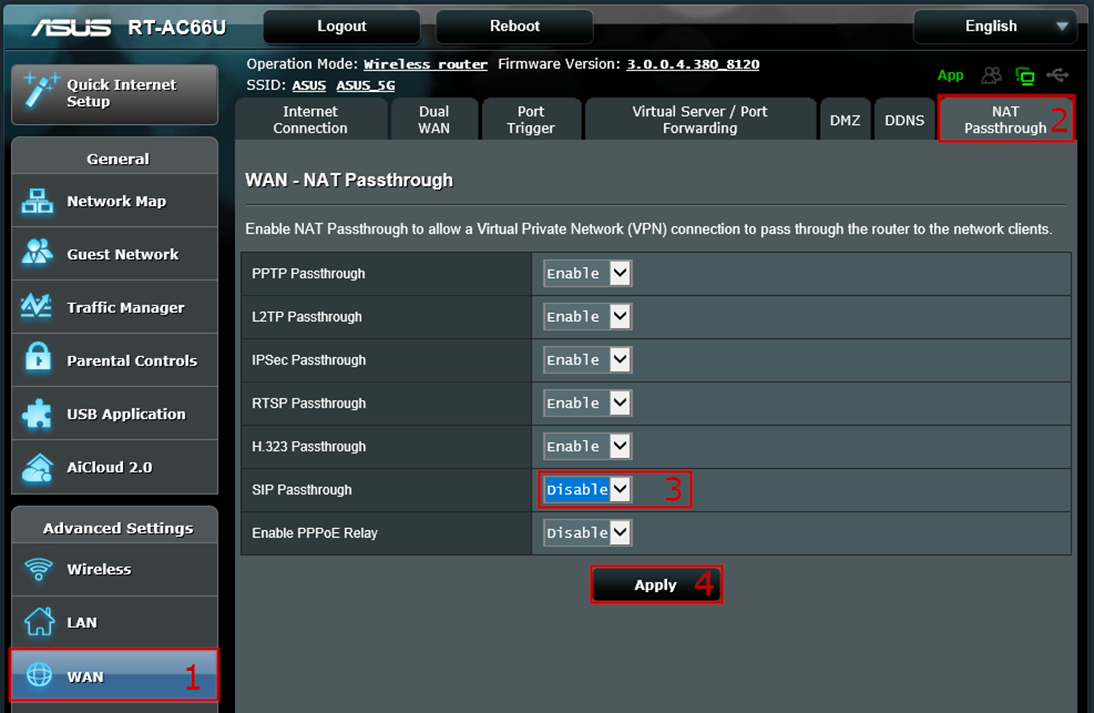
Log into your router's web interface, then select WAN > NAT Passthrough
Locate the SIP Passthrough option and choose Disable. Click Apply and, if prompted, restart your router.